Chat
Each unit has one chat with dispatch. Tap the chat icon at the top right of any screen.
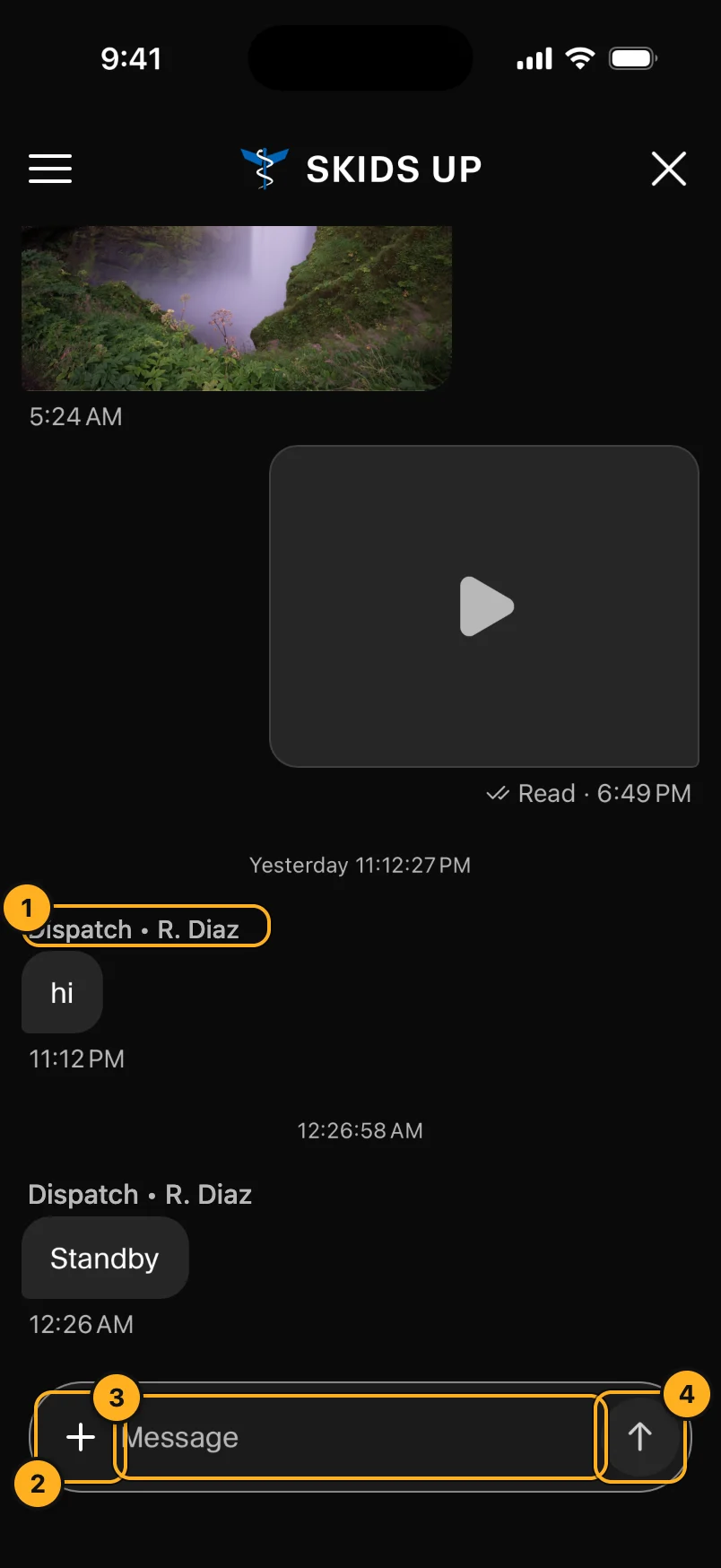
- Dispatch • name: messages from dispatch show who sent them. Messages from the AOC desk show in red.
- +: add a photo or video. Take a photo, or choose from your library.
- Message: type your message.
- Send.
Your own messages show Read and the time when dispatch has read them. Tap a photo to see it full screen. Swipe to see the next one. Tap a video to play it.
You can also react to a message and reply to it.
If you have no signal, your message is kept on the phone and sent when the signal comes back.
If chat shows No unit assigned, choose your unit first (Choose your unit).