RAM and past incidents
RAM
The RAM (risk assessment) is a list of questions about the flight. Each Yes answer adds points to the score. You sign the RAM to accept each call.
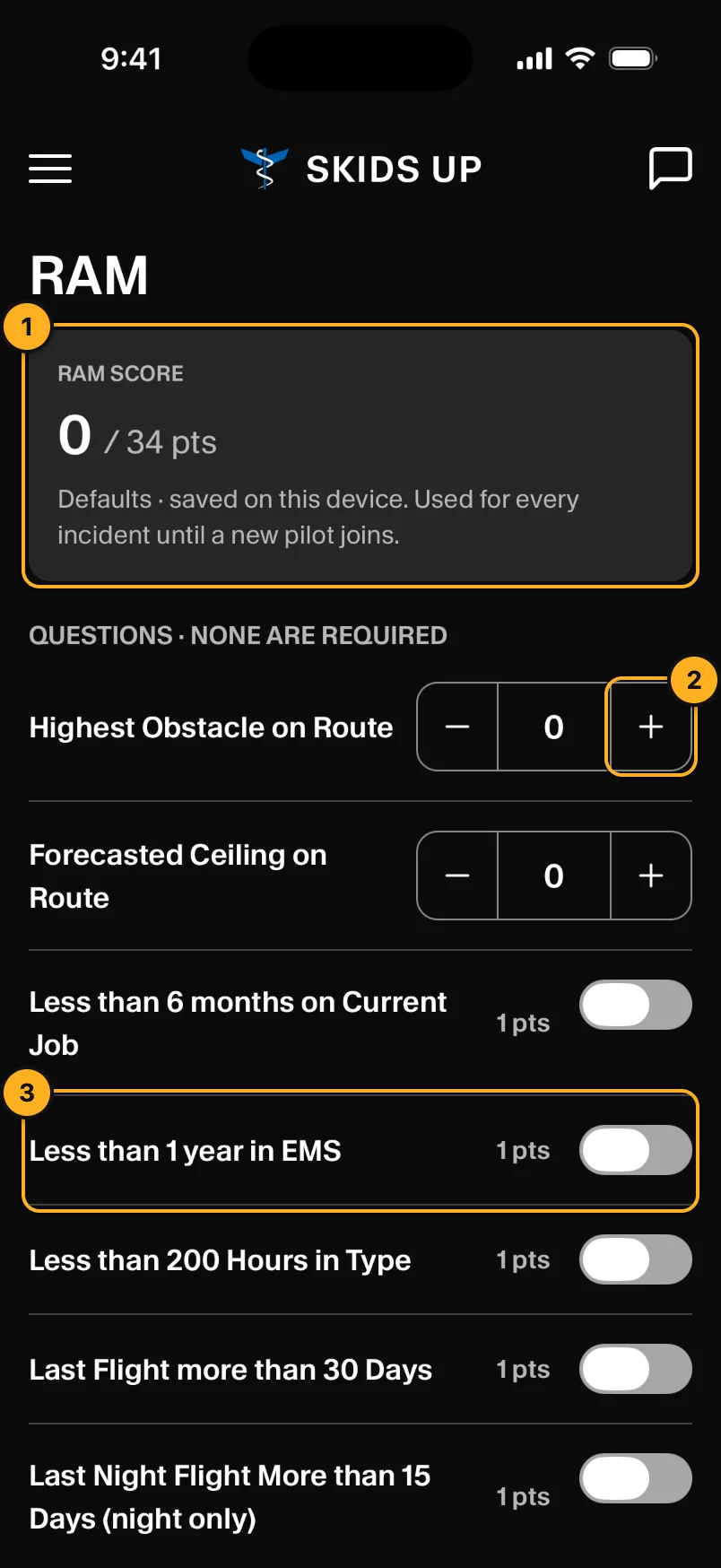
- RAM score: the total, out of the most points possible. The score is Low up to 20, Moderate up to 40, High up to 60, and Critical above 60.
- − / +: questions with a number, such as the highest obstacle on route.
- On / off: yes or no questions. The points show next to each question.
No question is required.
Defaults
RAM in the menu sets your defaults. The app keeps your answers on this phone and fills them in on the RAM for each new call. Your defaults are cleared when you sign out. Reset to defaults clears them now.
Accept a call
On a call, choose Accept Call and tap Submit. The RAM for the call opens with your defaults. Check each answer, sign, and tap Sign and accept call. You must have signal to sign.
Only the pilot can sign the RAM. Crew phones see Only the pilot can complete and sign the RAM report.
Past incidents
Past Incidents in the menu lists your unit's closed calls.
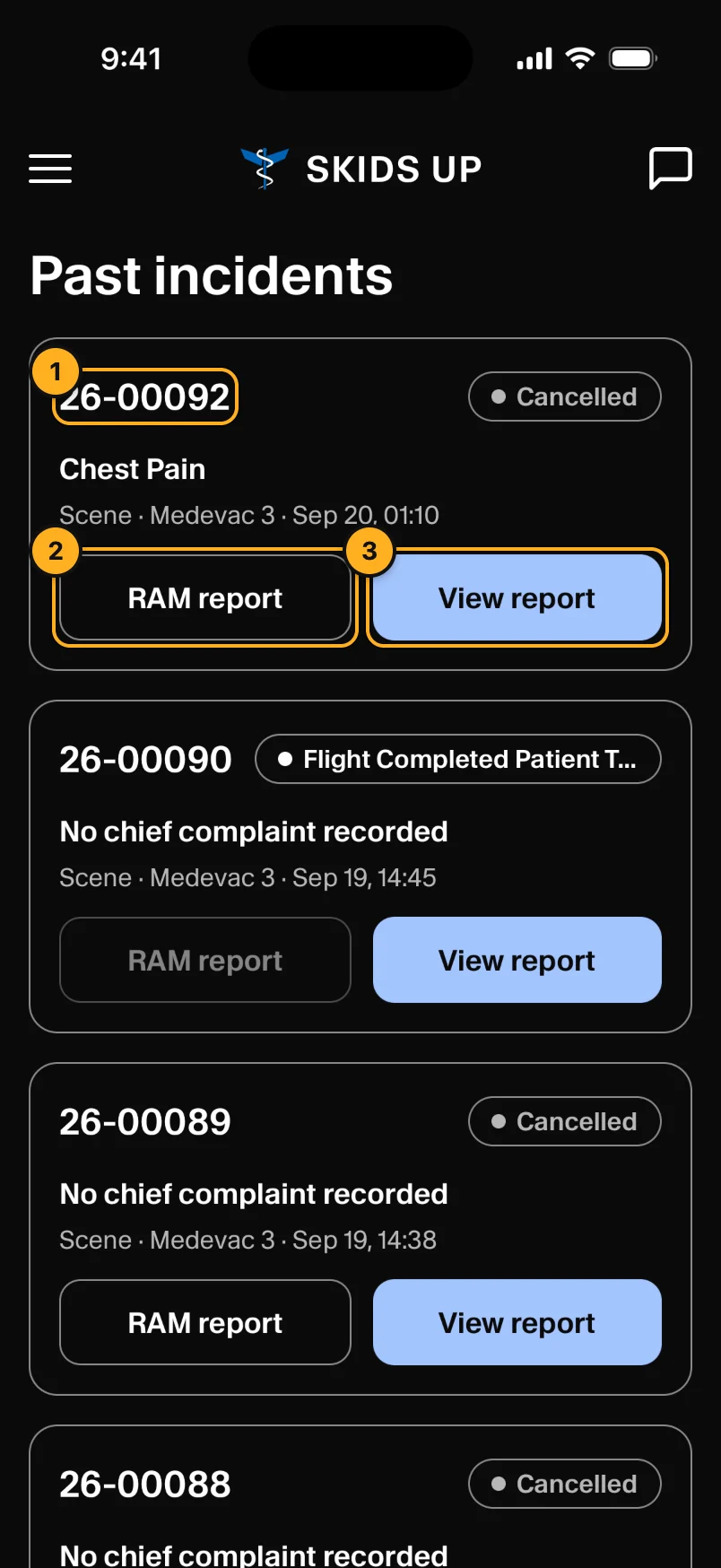
- Call number, final status, complaint, type, unit and date.
- RAM report: the signed RAM for the call.
- View report: the incident report.
Reports open as PDFs in the app. Tap Share to send or save one. A button shows Generating… until the report is ready.