Sign in
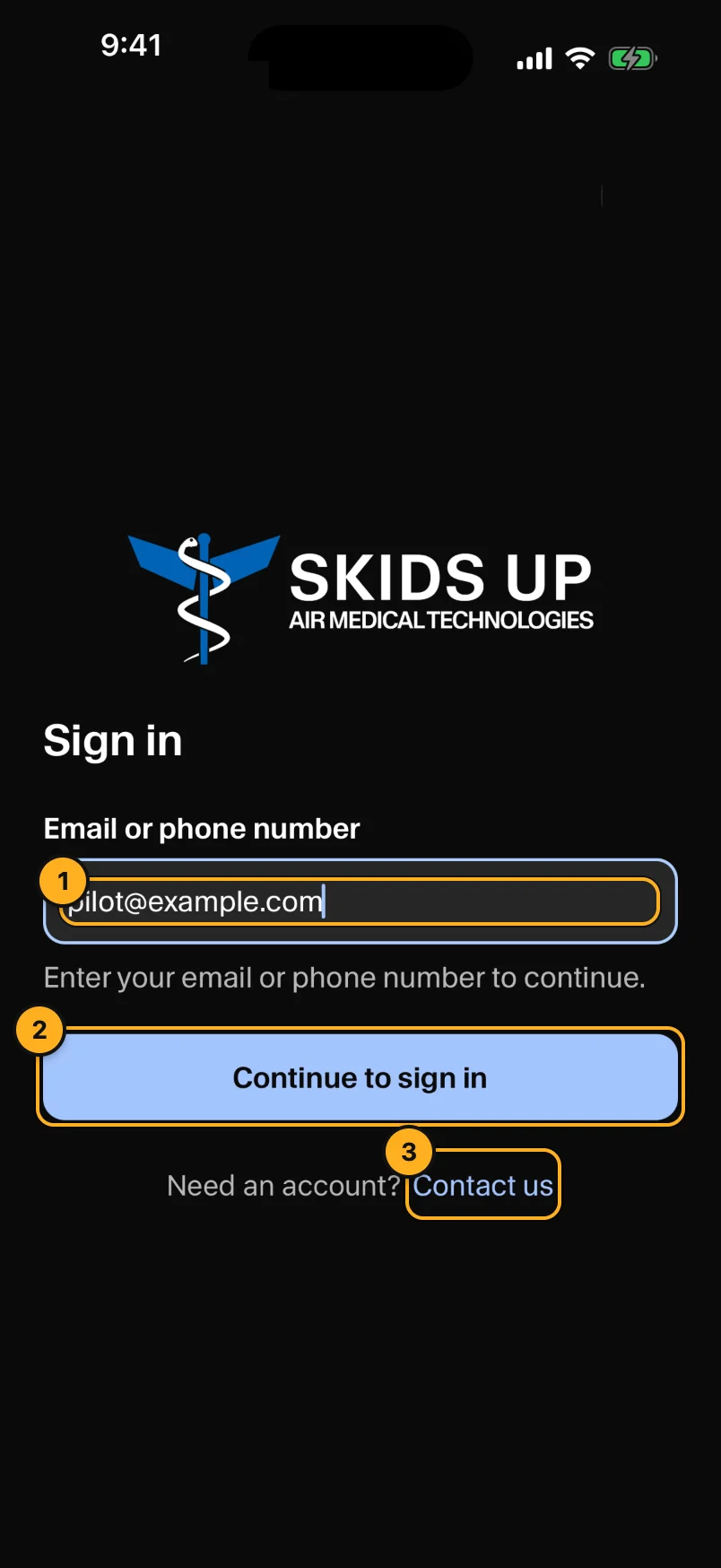
- Email or phone number: enter your email (pilots) or the crew phone's 10-digit number (medical crews).
- Tap Continue to sign in.
- Contact us: you cannot make your own account. Ask your company admin to add you.
Pilots: email and password
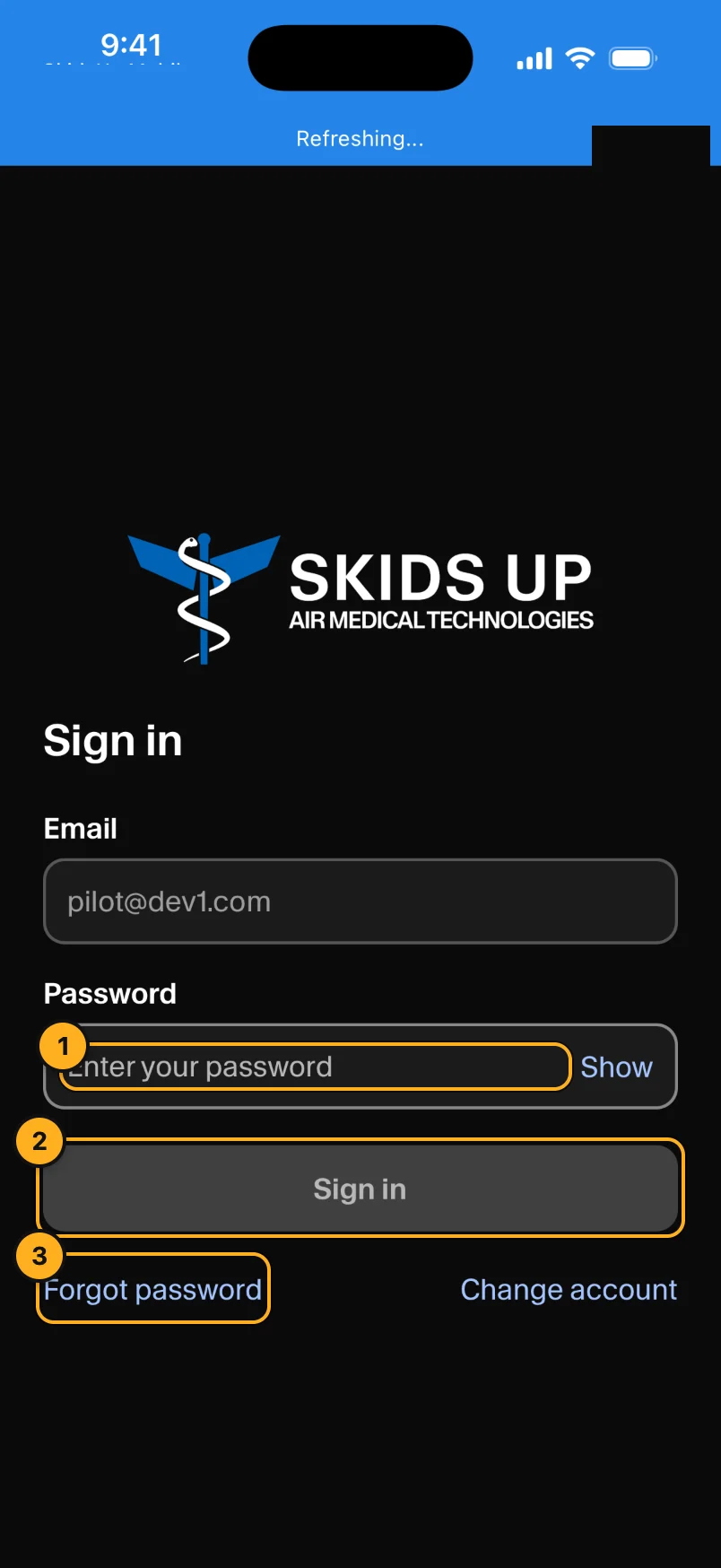
- Enter your Password. Tap Show to see what you typed.
- Tap Sign in.
- Forgot password sends a reset code to your email.
To use a different email, tap Change account.
Crew phones: text message code
After you enter the crew phone's number, AMT sends a 6-digit code by text message to that phone. Enter the code. If you see This phone number isn't registered for crew access, ask your company admin to add the crew phone (Crew phones).
The first time
The app asks to send you notifications. Tap Allow. Without notifications, you do not get an alert when dispatch assigns a call.
When you open a call, the app asks to use your location. Tap Allow While Using App. Dispatch uses your position to follow the flight on the map.