Home and menu
Home
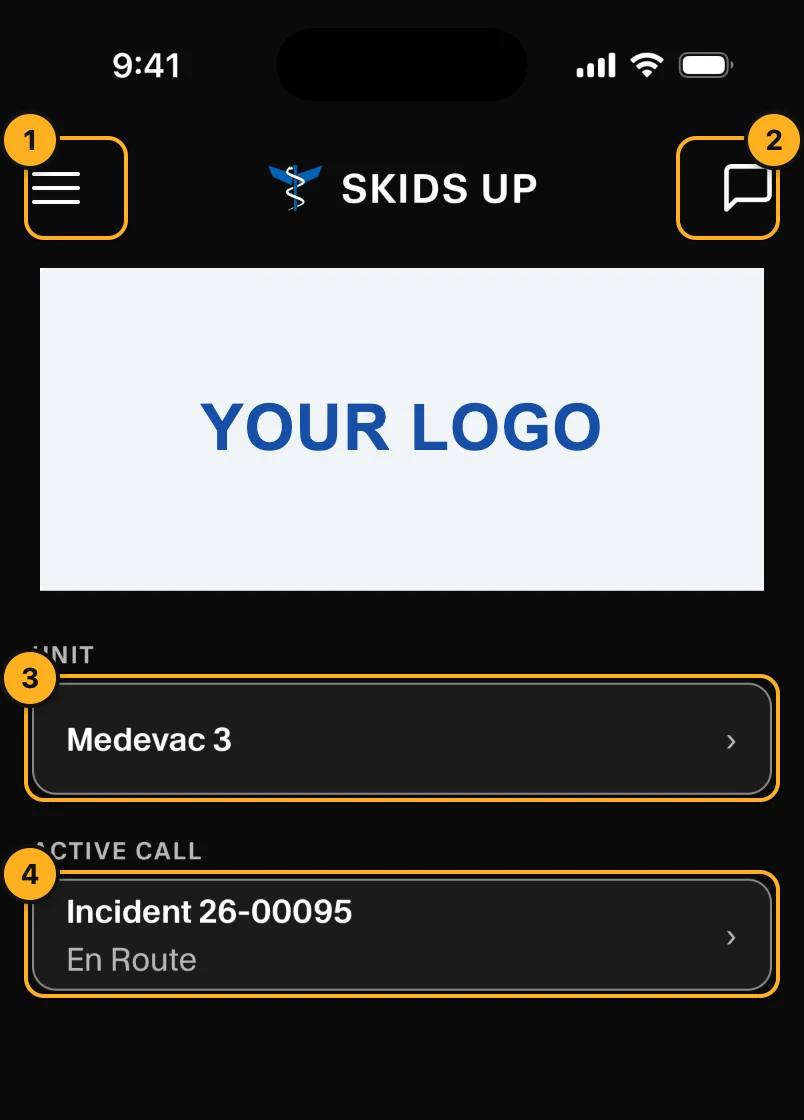
- Menu: open the menu (below).
- Chat: send messages to dispatch (Chat).
- Unit: the unit you are on. Tap it to change unit or crew (Choose your unit).
- Active call: the call number and status. Tap it to open the call (Work a call).
Your company logo shows at the top.
When your unit has no active call, home shows the unit's Status instead. Pilots can set the unit Available or out of service (for example OOS: Maintenance - Scheduled, OOS: Crew Rest or 15 Minute Delay), then tap Update status.
If home shows No unit assigned, open Unit and choose your unit first.
Menu
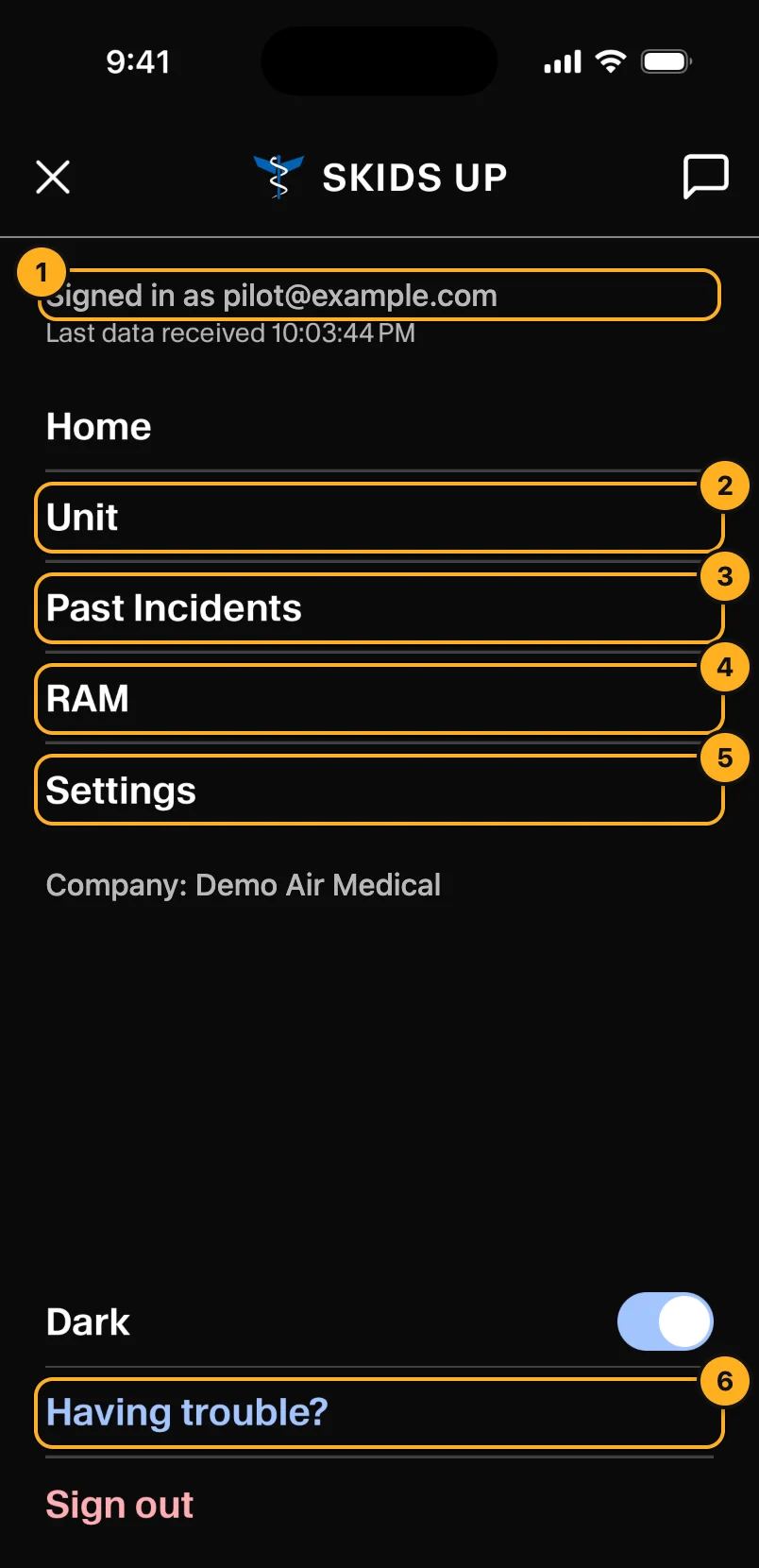
- Signed in as: your account. Below it, Last data received shows when the app last got live data from AMT. Offline means no data is arriving. Tap it to see the data log.
- Unit: choose your unit and crew.
- Past Incidents: your unit's closed calls and their reports.
- RAM: your default risk assessment answers (pilots only).
- Settings: text size, alert sounds and password.
- Having trouble?: help for common problems.
Dark switches between dark and light. Sign out signs you out of the app.