Company data
Your company's records live under Settings → Company data. Every list has a search box and a New … button; click a row to edit it, then Save changes (or Create). Each record can also be deleted from its page.
Company admins see every list. Comm specialists see Landing zones and Facilities.
Users
Everyone who signs in: dispatchers, admins, pilots and agency users.
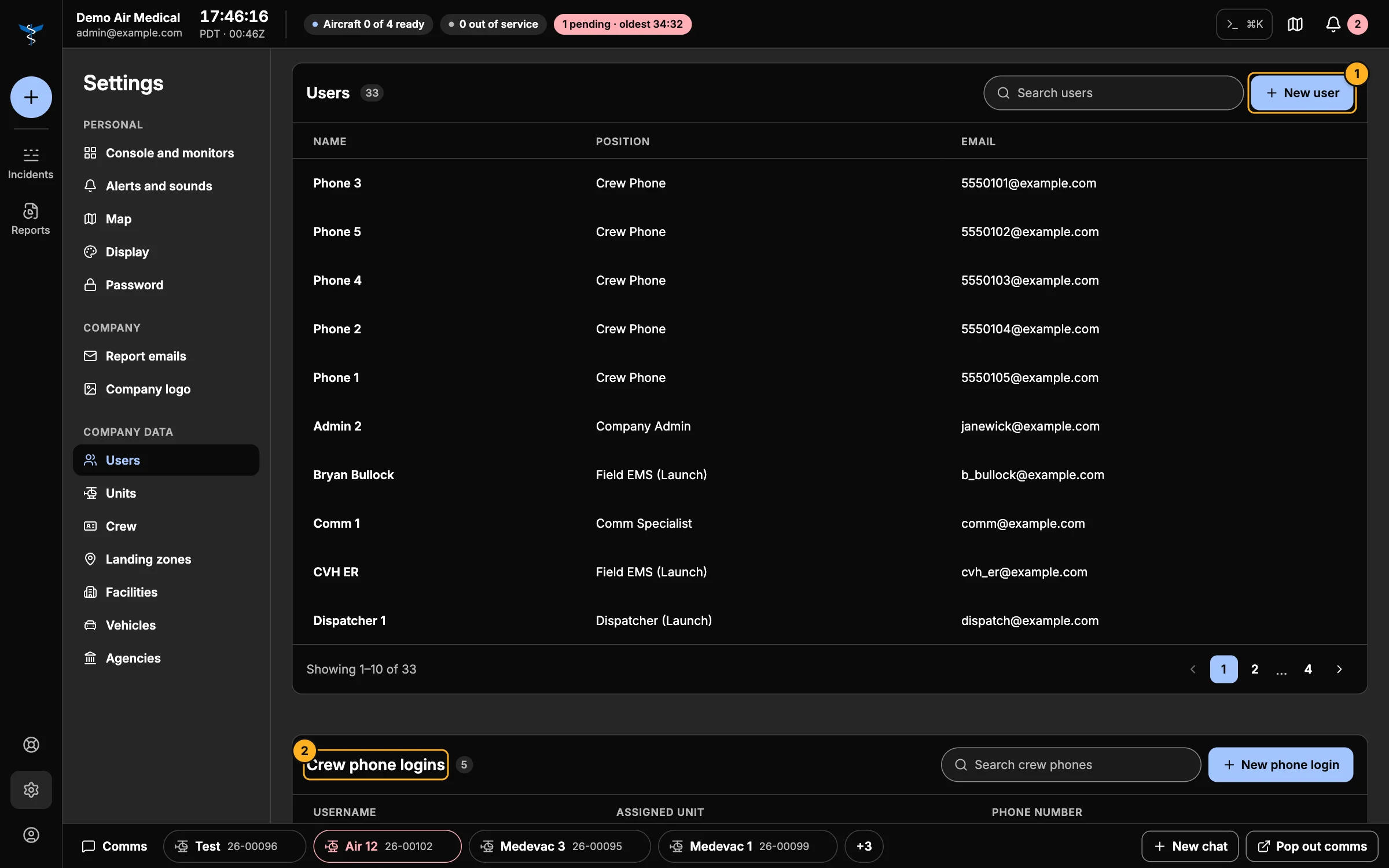
- New user — add someone (below).
- Crew phone logins — the shared phones crews carry (below).
Add a user
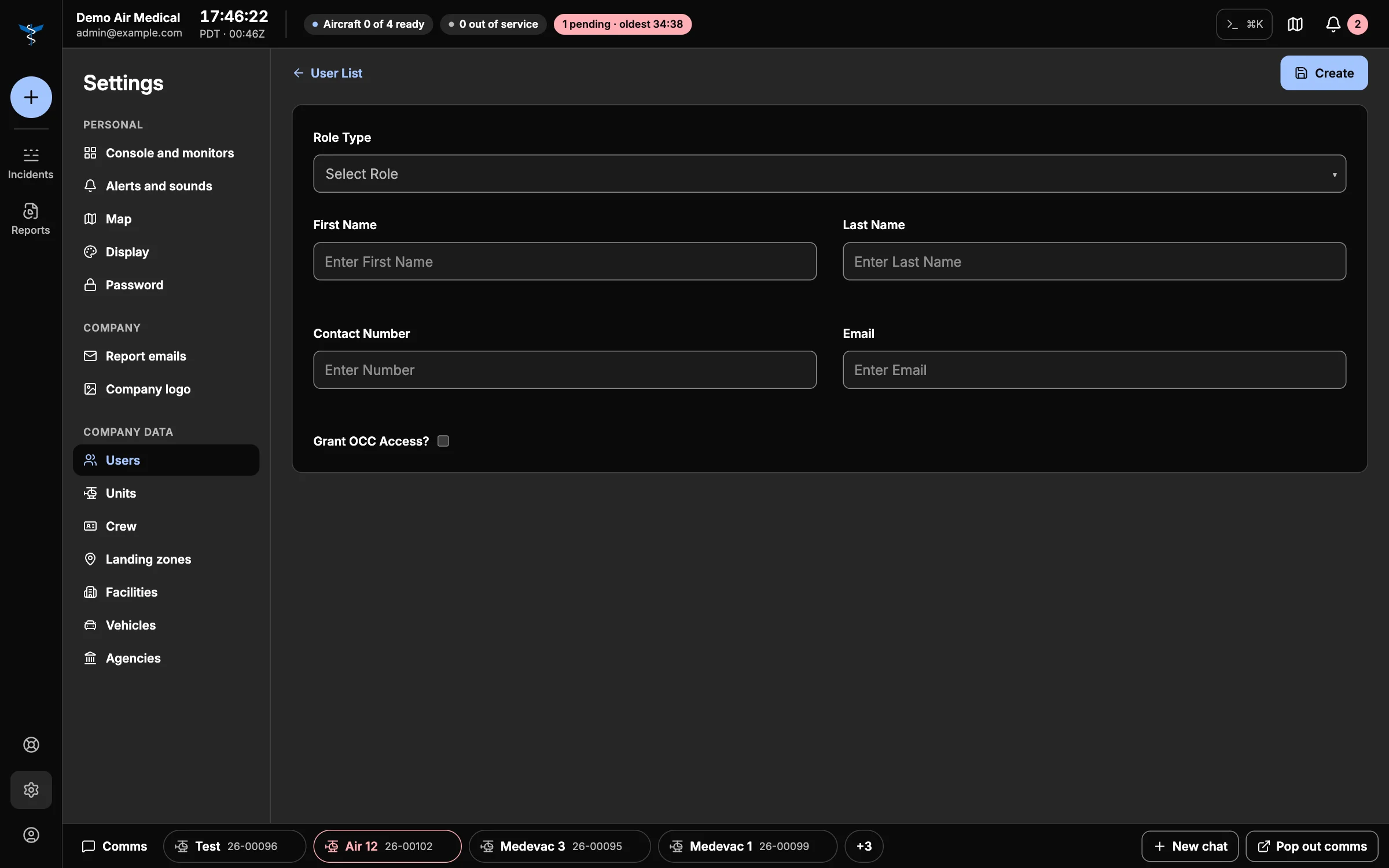
- Choose the Role Type:
- Company Admin — everything in the console.
- Comm Specialist — dispatch in the console.
- Pilot — Skids Up.
- Dispatcher (Launch) and Field EMS (Launch) — request flights in Launch. Launch users also get a Mission Type (Scene or Interfacility).
- Enter their name, contact number and Email.
- Create. AMT emails them an invitation (what they see).
Each email and phone number can only be used once.
Crew phones
A crew phone is a shared phone that stays with a seat on a unit. Add one with New phone login: a Username (for example MedPhone1), its 10-digit Phone number, and a Login Email. The phone signs in to Skids Up with a code sent to that number. Assign it to a unit on the unit's record.
Units
Your aircraft and ground units: Unit Name, Unit Type (Helicopter, Fixed Wing or Ground), the Vehicle it flies, and its EMResource ID. The Crew table sets who's in each seat and which crew phone each seat carries — see Crew and crew phones.
Crew
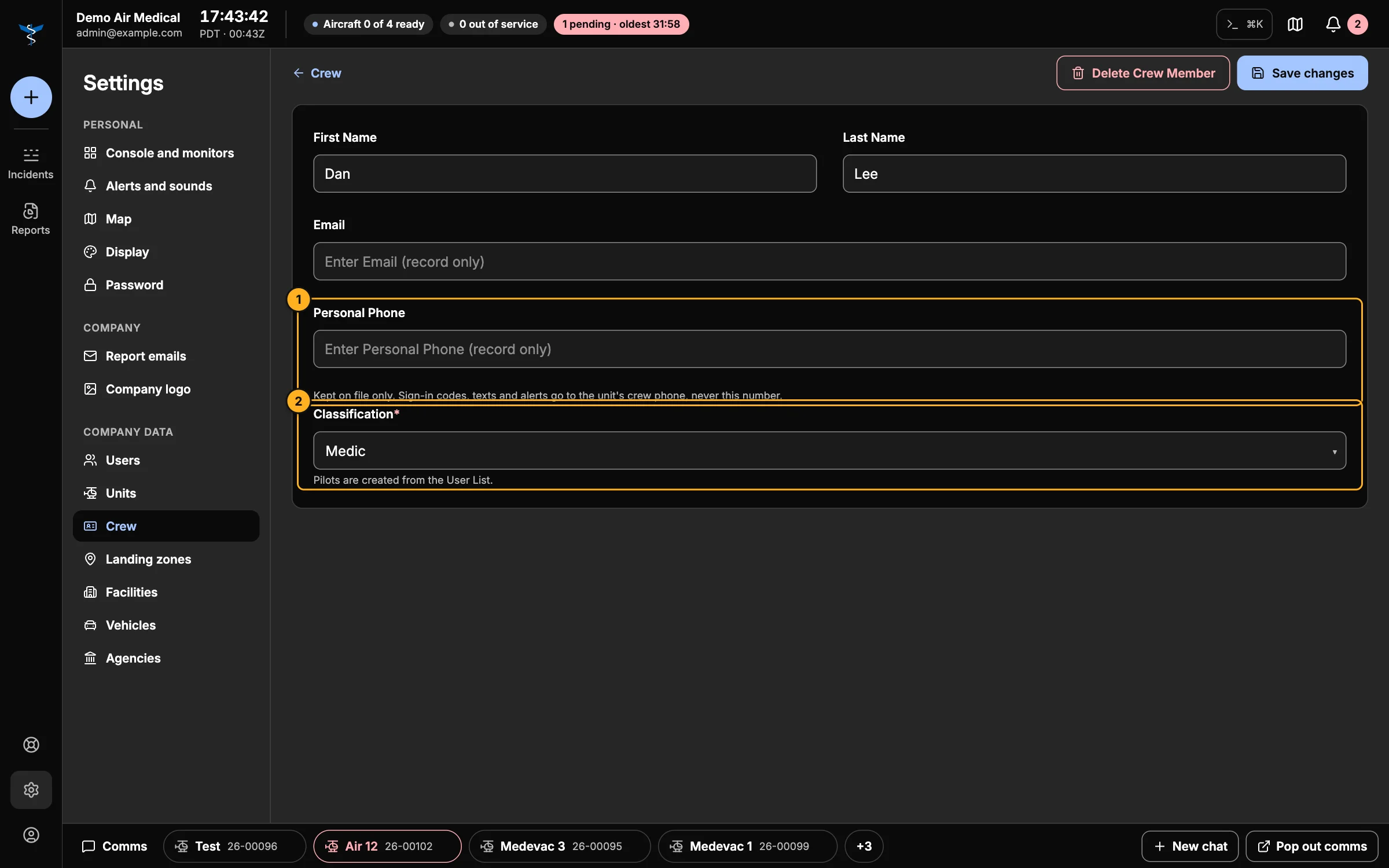
- Personal Phone — their own number, kept on file. Codes, texts and alerts always go to the unit's crew phone, never here.
- Classification — Medic, Mechanic or Ground Crew. This is the position shown everywhere. (Pilots are added as users.)
Landing zones
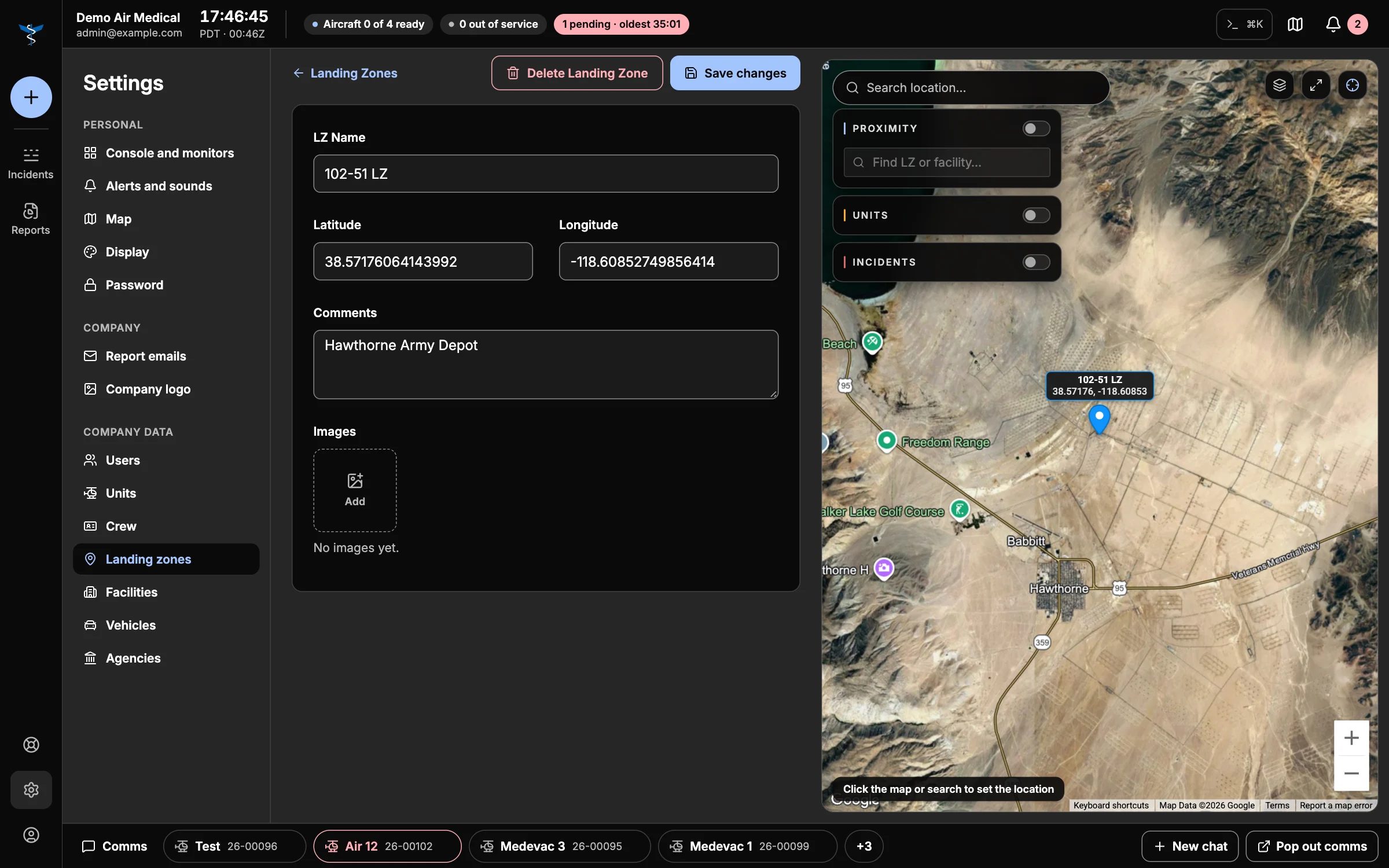
Name, location (click the map or search), Comments (hazards, access, notes for crews) and Images. Comments and photos show up in the briefing when a call uses this landing zone. Save a new landing zone before adding images.
Facilities
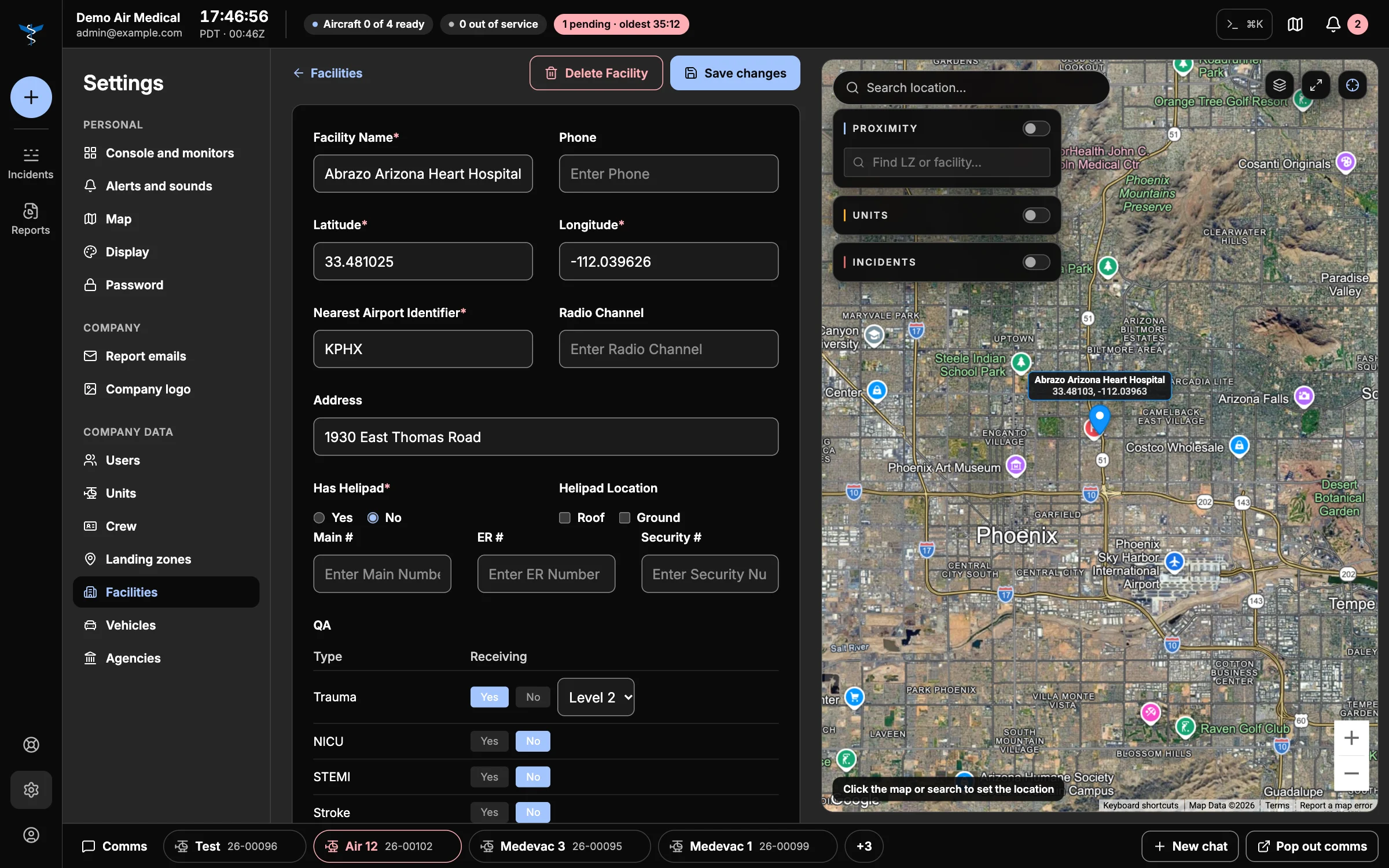
Hospitals and other destinations: name, phone, location, nearest airport, radio channel and address; the care it offers (Trauma, NICU, STEMI, Stroke, Peds, OB Receiving); whether it has a helipad (roof or ground); main, ER and security numbers; comments; and facility and helipad images.
Vehicles
Two lists: Aircraft and Ground vehicles — type, AHA ID, vehicle number and model. Units are linked to their vehicle on the unit's record.
Agencies
The agencies that request flights. They're offered as the Requesting agency when you take a new request.