Take a new request
Click + on the left rail (or type new in the command line).
The form is built around one goal: get help moving fast. You need where, who's asking and a number to call back. Everything else can be filled in after the unit is on its way — the call will remind you what's missing.
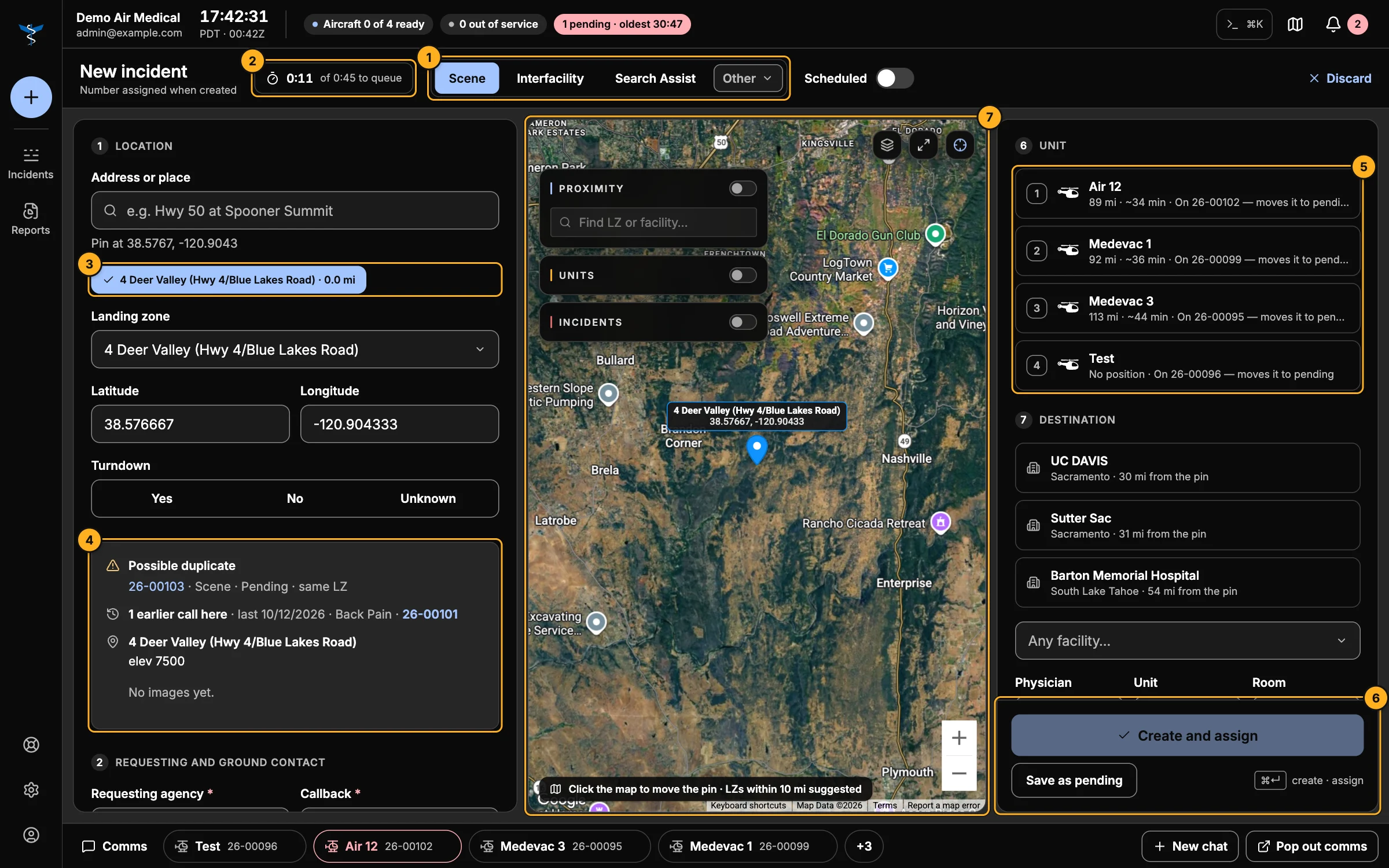
- Call type — the form starts here. Pick Scene, Interfacility or Search Assist (arrow keys move between them), or Other for maintenance, repositioning and PR flights. Turn on Scheduled for a future flight.
- Queue timer — how long since you opened the form, against a 45-second target.
- Location — search an address, type coordinates, click the map, or pick a landing zone. Landing zones within 10 miles of the pin are suggested, closest first. For an Interfacility transfer, pick the sending facility instead.
- Briefing — what to check before you send anyone (see below).
- Unit — every unit, ready ones first, then by distance, with an estimated flight time. Press 1–9 to pick. You can choose a unit that's already on a call; you'll be asked first, and its current call goes back to pending.
- Send it — Create and assign (⌘↵) sends the call to the chosen unit. Save as pending puts it on the Pending board for later.
- Map — shows the pin; click to move it.
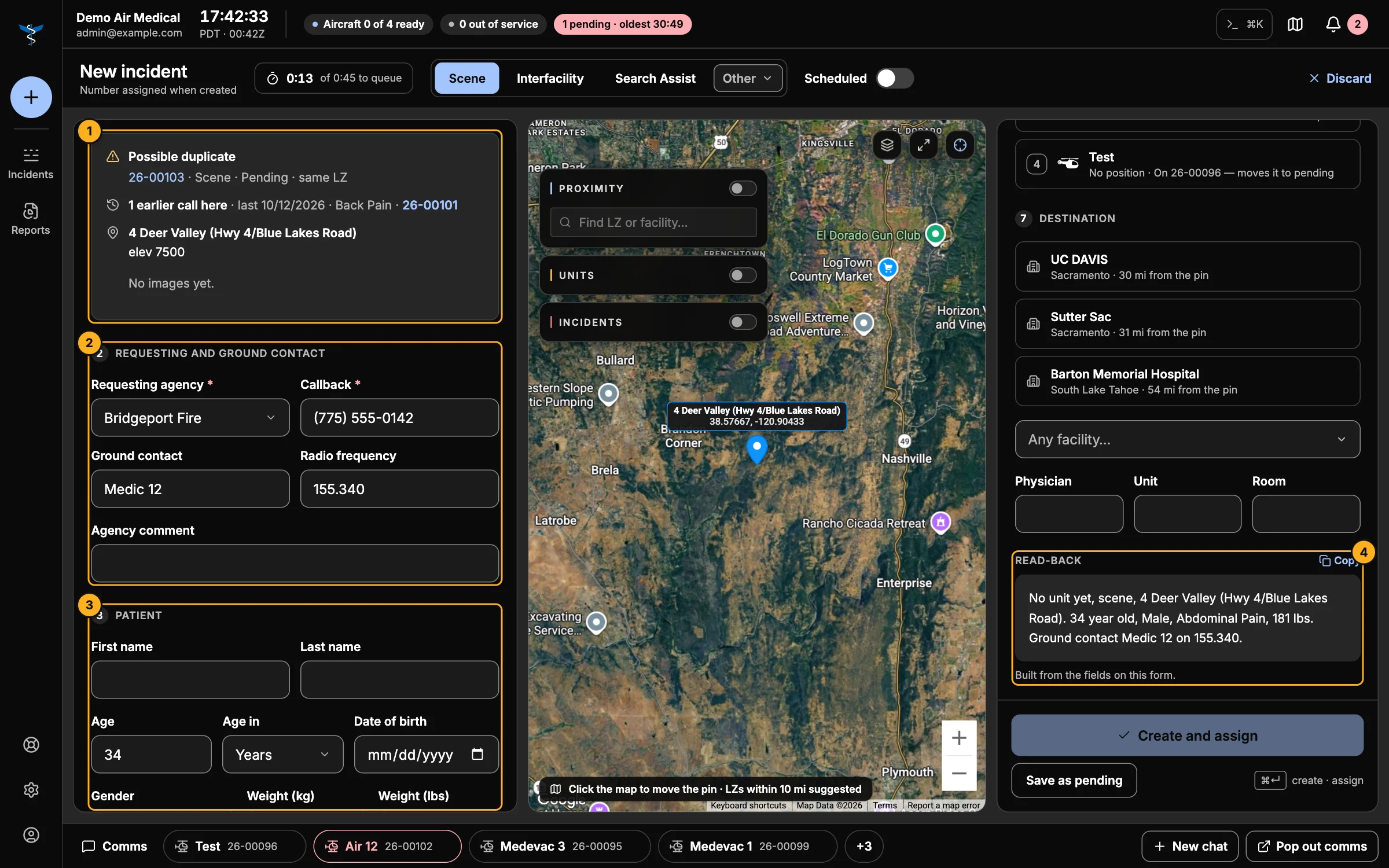
- Briefing — as soon as you set a location you'll see:
- Possible duplicate — an open call at the same landing zone, or within 5 nautical miles, from the last hour. It may be the same patient called in twice. Click the call number to check it.
- Earlier calls here — how many past calls were at this spot, and the latest one.
- The landing zone's notes and photos.
- Requesting and ground contact — the agency and callback number (marked *) are what you need to launch. Ground contact and radio frequency go to the crew.
- Patient — age, gender, weight (kilograms and pounds convert each other), complaint and the rest.
- Read-back — the call as a crew hears it on the radio, built from what you've entered. Copy puts it on the clipboard.
The Destination list suggests the closest facilities to the pin.
About the ETA
The flight time is an estimate from straight-line distance and typical speeds (about 135 knots for helicopters, 260 for fixed wing, 50 mph for ground units). It helps you choose a unit; it isn't a flight plan. The pilot's own ETA is recorded on the call.
Edit a call later
Open the call and click Edit incident, or Fill in next to Still needed. The same form opens with everything filled in; Save changes when you're done.