Incidents
Incidents on the left rail lists every call for your company.
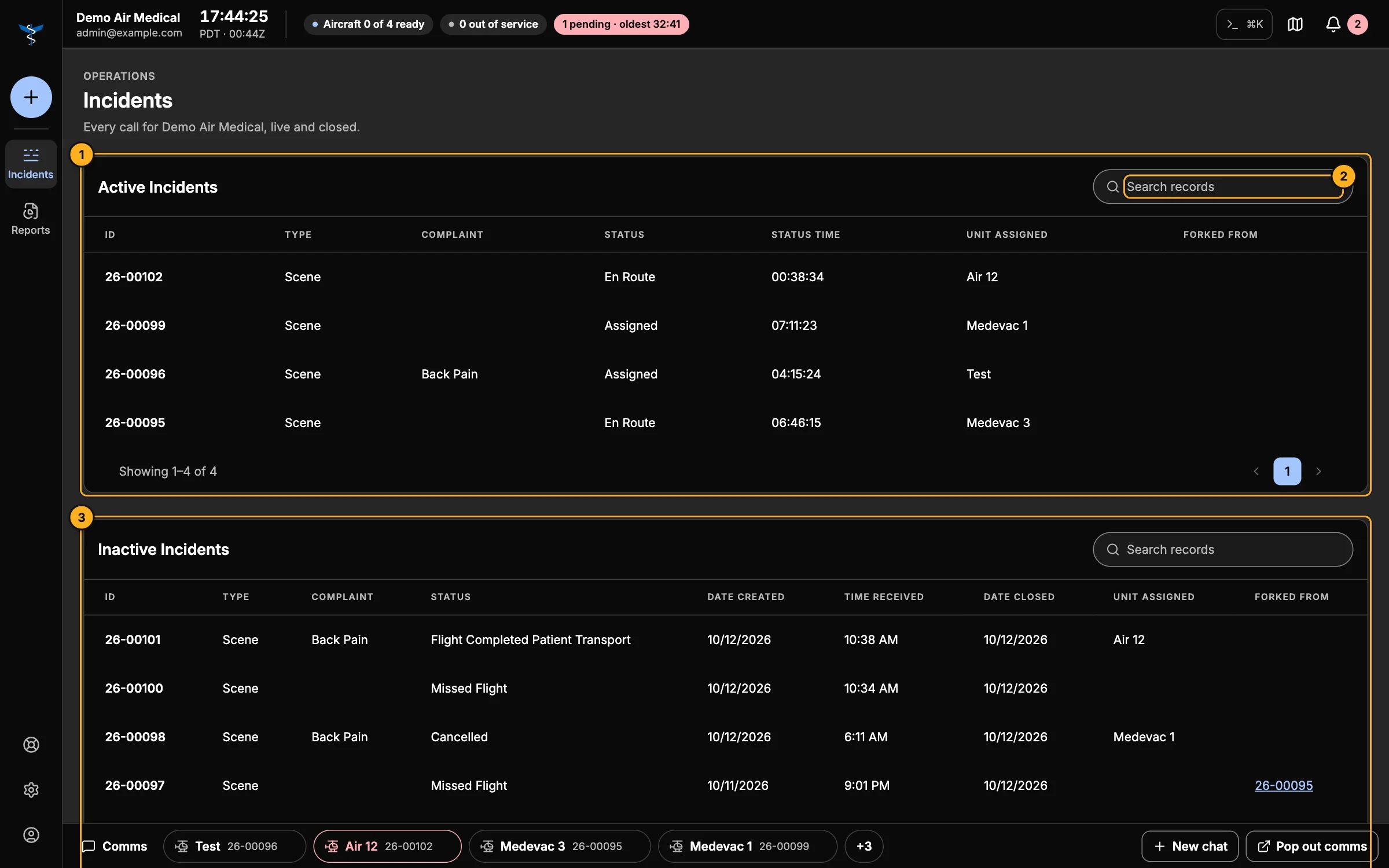
- Active Incidents — calls in progress: ID, type, complaint, status, how long it's been in that status, the unit, and the call it was copied from (if any).
- Search records — find a call by number, title, unit, specialist, facility, destination, type or status. Each table has its own search.
- Inactive Incidents — closed calls, newest first, with the date created, time received and date closed. Ten per page.
Click a row (or press Enter on it) to open the call. Active calls open with their live controls; closed calls open read-only, with Replay flight track, Export track and Reopen incident.