Multiple monitors
The console spreads across as many screens as you have.
Arrange Live
Click Arrange (top right, on Live).
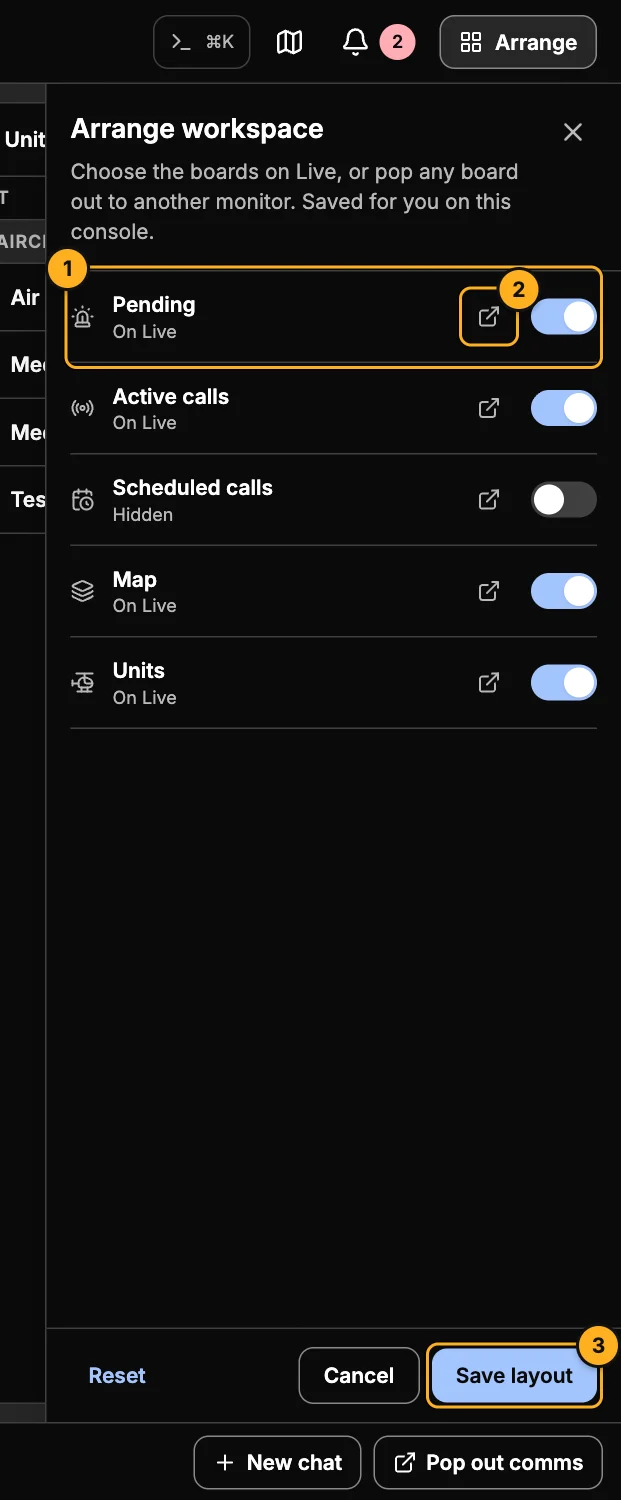
- Show on Live — turn each board on or off: Pending, Active calls, Scheduled calls, Map and Units. Scheduled calls is off by default.
- Pop out — open that board in its own window, then drag the window to another monitor.
- Save layout — keeps your choice on this computer. Reset goes back to the default.
Pop-out windows
| Window | Has |
|---|---|
| Map | The live map on its own. |
| Boards | Pending, active calls, units and scheduled calls, each as a tab or all together. Everything works — pickers, drawers, the call form. |
| Comms | Up to six chats side by side (Chat). |
You can open them from Arrange, from the map's pop-out button, from Pop out comms, or from Settings → Console and monitors.
tip
Your browser may ask permission to open pop-up windows the first time. Allow it for AMT.