Keyboard and the command line
Everything in the console works from the keyboard: Tab moves between controls, Enter or Space opens a row, and Esc closes drawers, menus and dialogs.
The command line
Press ⌘K (Mac), Ctrl+K (Windows), or / when you're not typing in a box. Type a call, a unit or a command, then:
- ↑ ↓ choose a suggestion
- Enter runs it
- Tab completes the text
- Esc closes
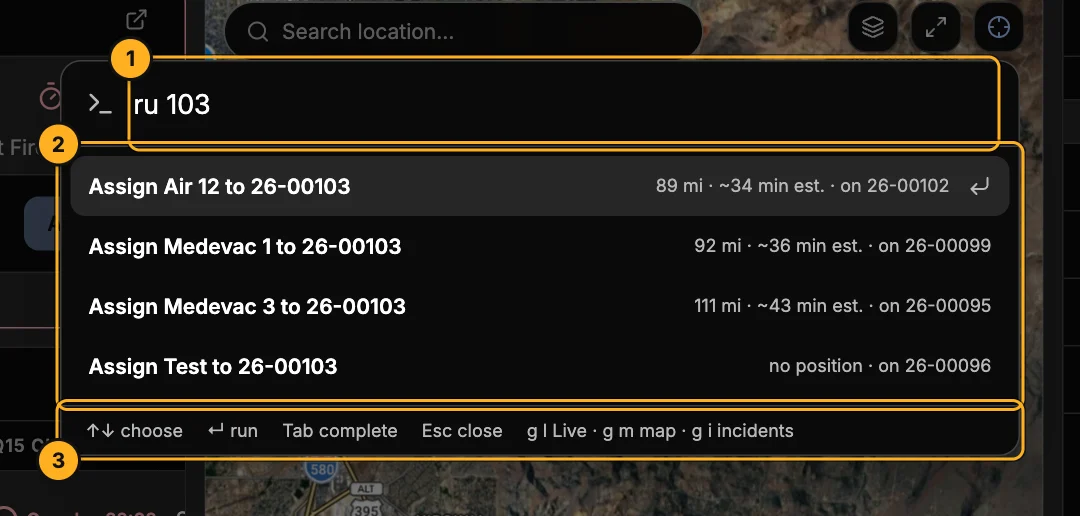
- What you typed — here
ru 103, "recommend units for call 26-00103". - Suggestions — what Enter will do. For
ru, the closest units first, with miles, an ETA estimate, and whether each is free. - Keys — a reminder of the keys, including the go-to keys below.
Open it with nothing typed to see examples:
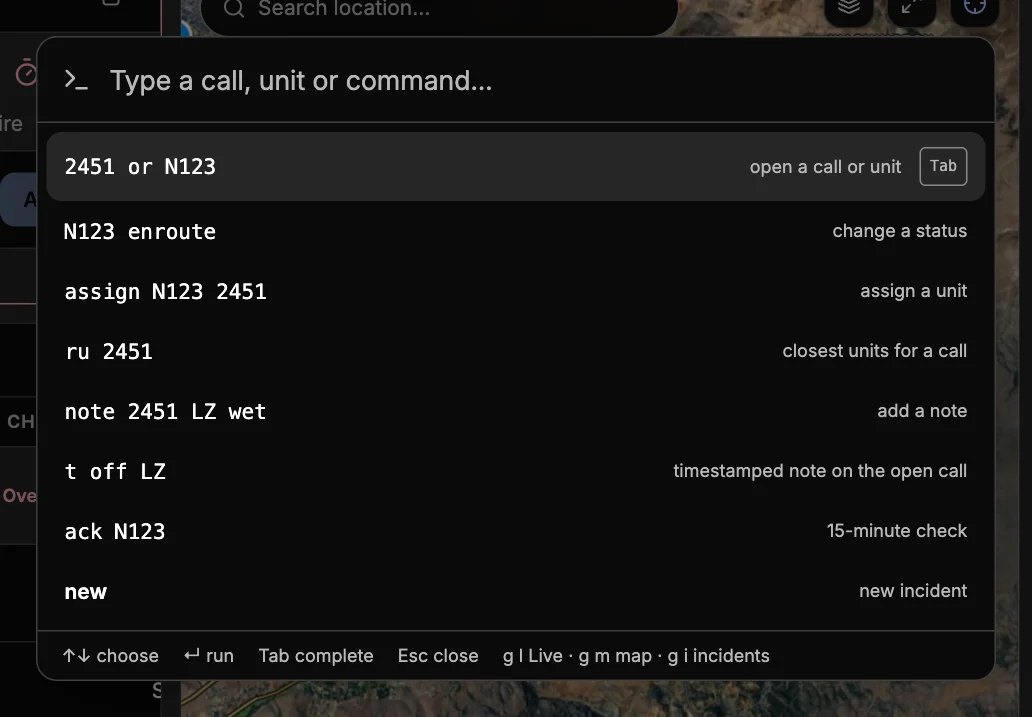
What you can type
| Type | What happens |
|---|---|
2451 or medevac 1 | Opens the call or unit. The last few digits of a call number are enough. |
air 12 on scene | Changes the status of that unit's call. For a unit that isn't on a call, available or delay sets its own status. |
assign medevac 1 2451 | Assigns the unit to the call (either order). If the unit is on another call, you're asked first. |
ru 2451 | Recommends units for the call, closest first. Enter assigns the one you pick. |
note 2451 LZ wet | Adds a note to the call. |
t off the LZ | A time hack: adds "14:32:05 PDT — off the LZ" to the call you have open. Use t 2451 … for another call. |
ack air 12 | Opens that unit's 15-minute check, ready to log its position. |
new, map, live, incidents, reports, settings | Goes there. |
Closing a call — Cancelled, Declined, Missed Flight, Aborted Flight — always asks for a reason, so the command line opens the call instead of closing it.
Go-to keys
Press g, then a letter (when you're not typing in a box):
| Keys | Goes to |
|---|---|
g l | Live |
g m | Full-screen map |
g i | Incidents |
g r | Reports |
g s | Settings |
Other shortcuts
| Where | Key | Does |
|---|---|---|
| New incident | ⌘↵ / Ctrl+↵ | Create and assign |
| New incident | 1–9 | Pick a unit from the list |
| Call drawer | T | Start a note with the time filled in |
| Anywhere | Esc | Close the drawer, menu or dialog |