Sign in
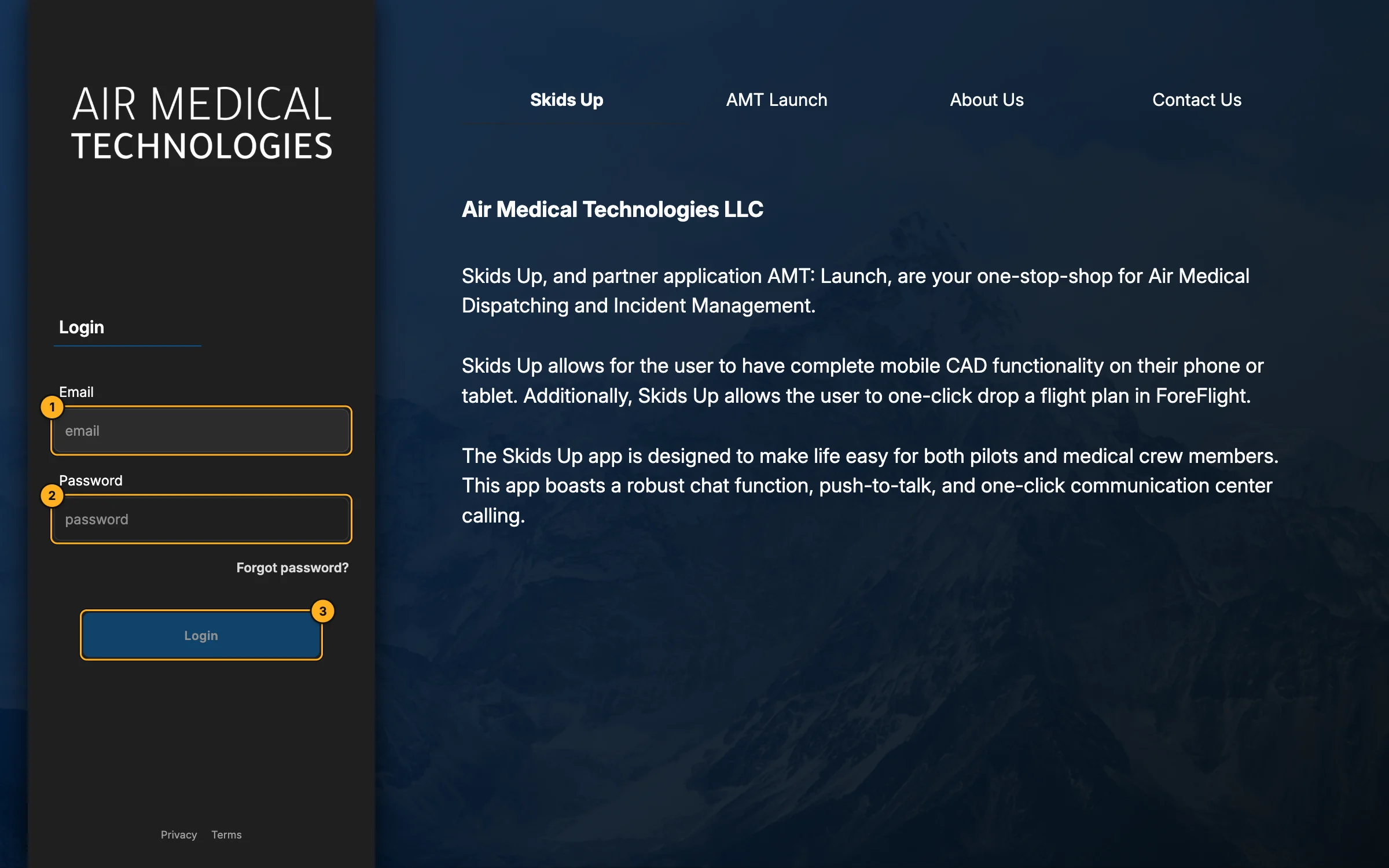
- Email — the address your invitation was sent to.
- Password.
- Login.
You land on Live, the main dispatch screen.
Your first time: accept the invitation
Your company admin adds you, and AMT emails you an invitation.
- Open the link in the invitation email.
- If you're new to AMT, choose a password and click Create Account & Accept Invitation. If you already have an AMT account, you're signed in straight away.
- Dispatchers and admins go to the console. Pilots, crews and agency users are sent to download their app (Skids Up or Launch).
If you see "No invitation link found", open the link directly from the email rather than typing the address.
"No dashboard access"
The console is for company admins and comm specialists. If your account is a pilot, crew or agency account, you'll see No dashboard access — use the mobile app instead, or ask your admin to change your role.
Forgot your password?
Ask your company admin or contact support to reset it. Once you're signed in you can change it any time in Settings → Password.
Sign out
Open your account (the person icon at the bottom of the left rail) and choose Sign out.
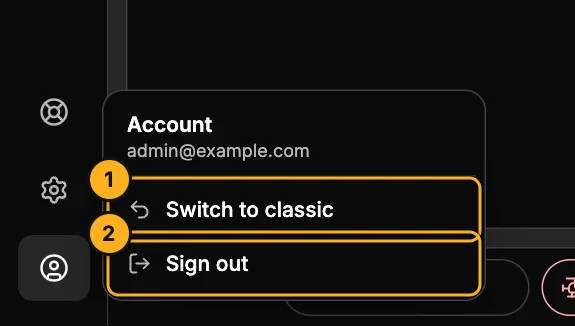
- Switch to classic — the older dashboard, if you need it.
- Sign out.