Work a call
Click any call — on the Active calls board, the Pending board, a notification or the Incidents list — to open its call drawer. Live stays usable beside it.
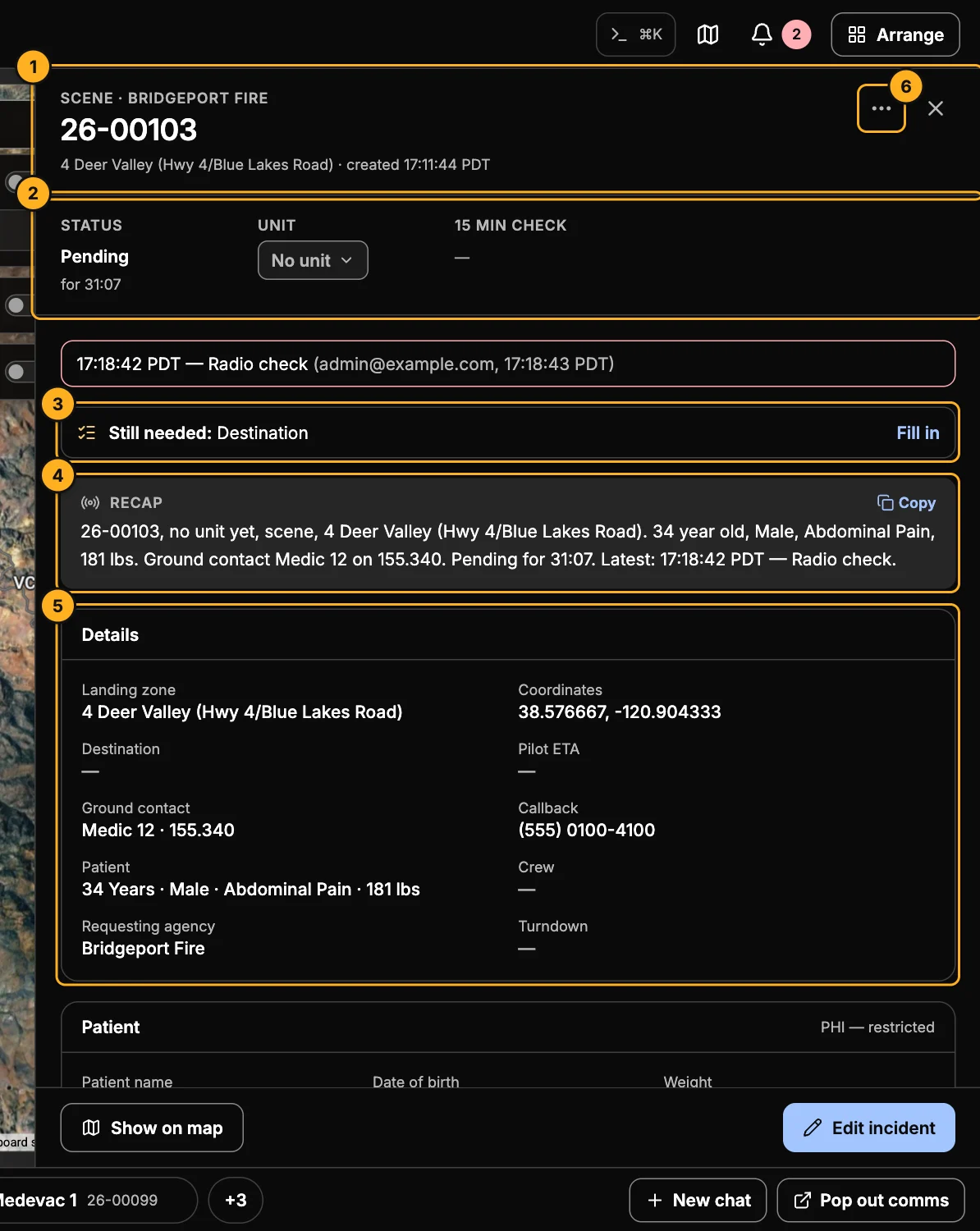
- Header — call type, requesting agency, call number, location and who created it.
- Status, unit and 15-minute check — change the status or the unit (see below), and see when the next check is due.
- Still needed — details the call is missing now that help is on the way: ground contact, destination, patient weight and so on. Fill in opens the form.
- Recap — a short summary to read on the radio or hand to the next dispatcher: the unit (or the call number, until one is assigned), the location, the patient, contacts, destination, where the call stands, and the latest note. Copy copies it.
- Details — the whole call. Below it: patient (restricted), crew and acknowledgement, flight and facilities, notes, the incident log, and the position log.
- More actions — Tasks, Duplicate, Chart unit to the call, Copy coordinates (and, on a closed call, Replay flight track and Export track).
At the bottom: Message crew, Show on map, Follow unit and Edit incident.
Change the status or unit
Pick a new status or unit, then confirm it with ✓ (or undo). Nothing changes until you confirm.
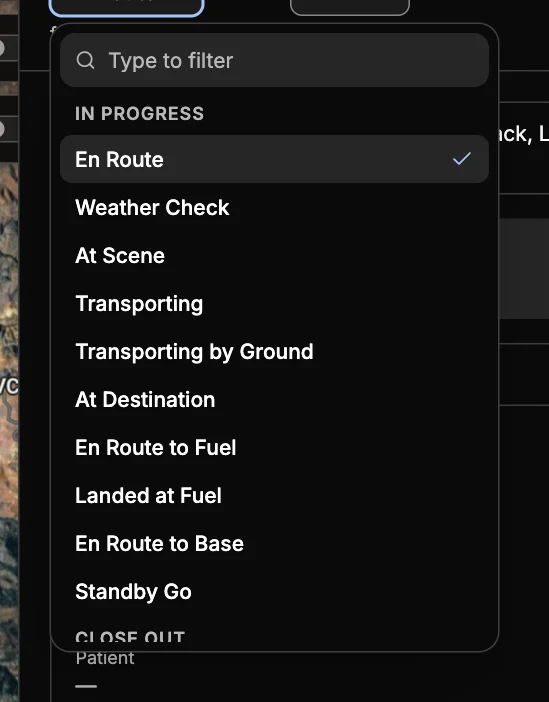
Statuses are grouped In progress (Weather Check, Accepted, En Route, At Scene, Transporting, At Destination, fuel and base legs, Standby…) and Close out. Only the statuses that make sense next are offered. Closing out always asks for a reason — see Close a call.
Changing the unit to one that's already on another call moves it here and puts the other call back to pending — you'll be asked first.
Notes and time hacks
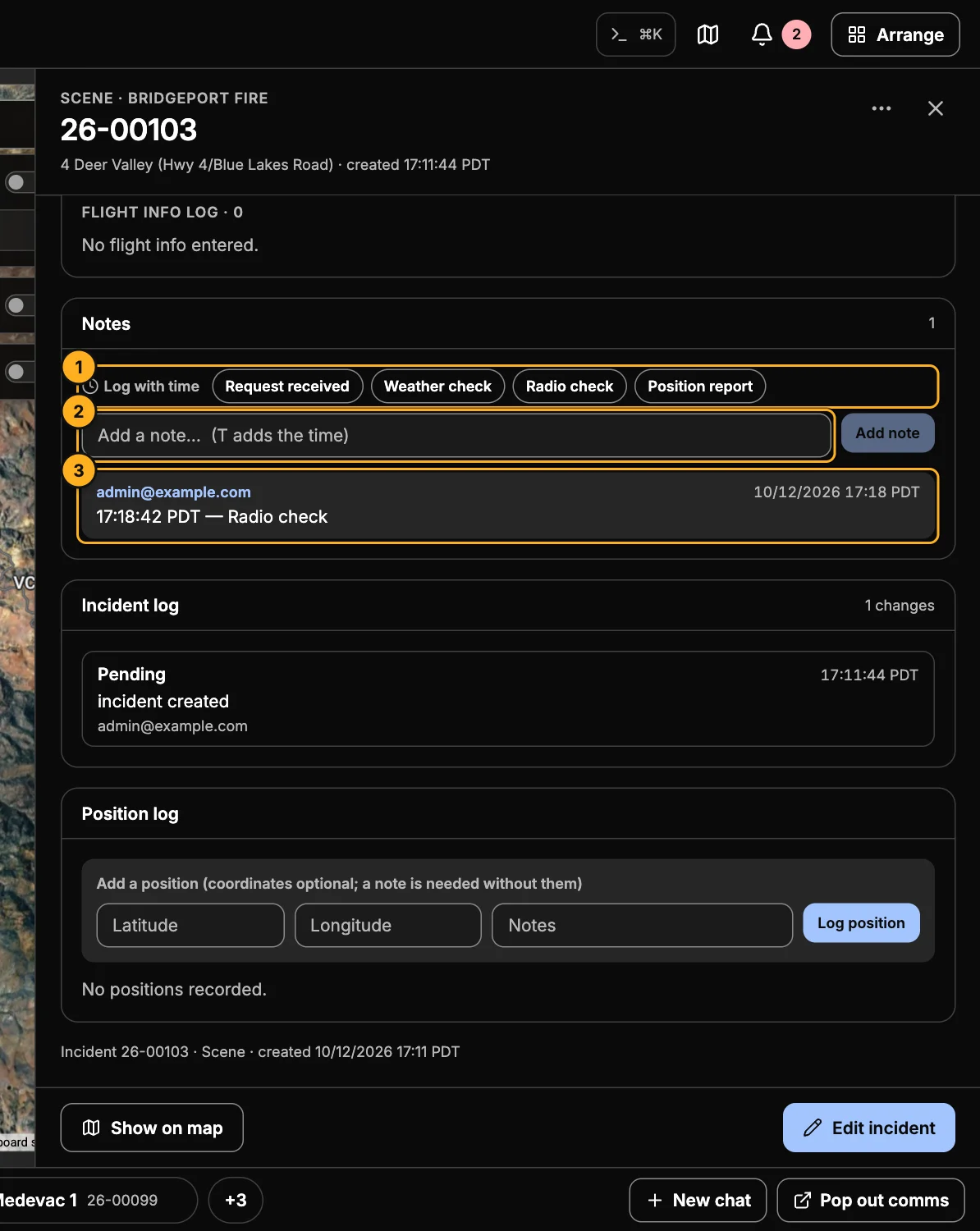
- Log with time — one-click notes for the stage the call is at, such as Wheels up, On the LZ, Off the LZ, Radio check or Position report. Each is saved with the time, the way you'd say it on the radio.
- Add a note — type and press Enter. Press T anywhere in the drawer to start a note with the time already filled in.
- Notes — newest first, with who wrote each and when.
Notes lock when a call is closed.
Crew acknowledgement
When a unit is assigned, each crew member acknowledges the call in Skids Up. The Crew and acknowledgement card shows who has (and when). Nudge pending crew reminds anyone who hasn't.
Tasks
More actions → Tasks keeps a to-do list on the call. Add task, then mark each one complete as it's done.
Duplicate a call
More actions → Duplicate starts a new call copied from this one — handy for a second patient from the same scene. The new call shows which call it was copied from.