Crew and crew phones
Each unit has seats — Pilot, Med 1, Med 2 and Mechanic — and the medical and mechanic seats each carry a crew phone.
- Crew phone — a shared phone that stays with the seat. It signs in to Skids Up with a code sent to its number, and it's where calls, alerts and chat for that seat go.
- Personal phone — a crew member's own number, kept on file so dispatch can reach them. AMT never sends codes, texts or alerts to it.
- Position — a crew member's classification: Medic, Mechanic or Ground Crew (or Pilot).
You'll see all three in the unit drawer and the call drawer's Crew and acknowledgement card.
Change who's on a unit
Admins set the crew on the unit's record: Settings → Company data → Units, then the unit.
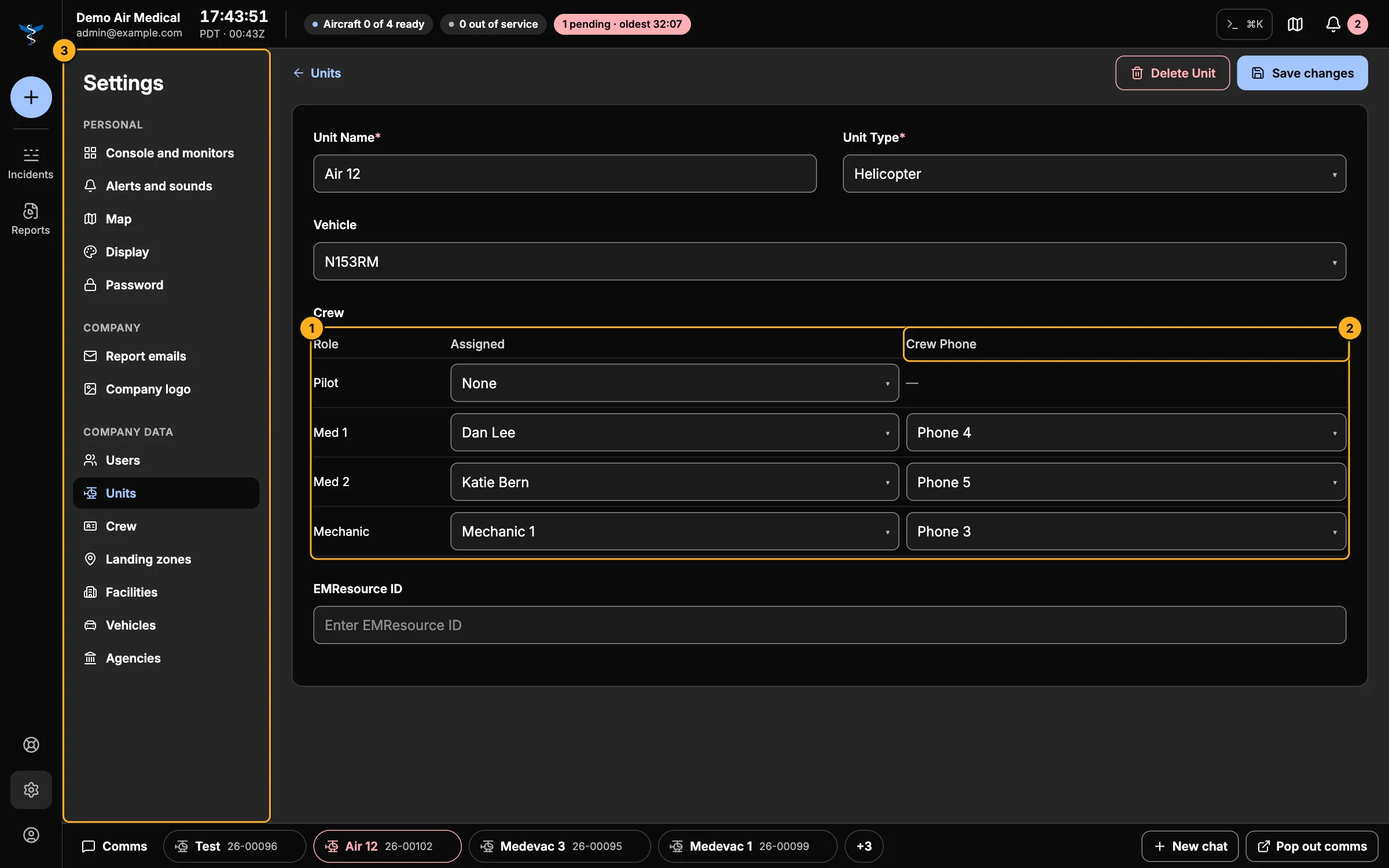
- Crew — pick the person for each seat.
- Crew phone — pick the phone for Med 1, Med 2 and Mechanic. Med 1 and Med 2 must have different phones.
- Company data — where units, crew and crew phones are managed.
Save changes when you're done.
Move someone who's on another unit
People and phones already on another unit show that unit's name in the list. Pick them anyway and you'll be asked to confirm; when you save, they're taken off the other unit. Dispatchers (admins and comm specialists) can do this at any time.
When a pilot asks to move crew
Pilots set their own crew in Skids Up. If they pick someone who's already on another unit, the change becomes a reassignment request instead of happening straight away. It appears in Notifications for whoever is on the AOC desk to Approve reassignment or Reject (with a reason). Every request and its outcome is kept in the Reassignment report.
Add crew and phones
- New crew members: Settings → Company data → Crew.
- New crew phones: Settings → Company data → Users → Crew phone logins.
See Company data.